Camera Management Platform
Control your PTZOptics cameras through one convenient desktop application
- Easily manage your PTZOptics cameras on your network
- New PTZ Camera control options
- In-app documentation and guides
- Adds auto-tracking capabilities for any g2 POE PTZOptics Camera
- Advanced Color Correction Tools
- Use with OBS, vMix, and other video production software
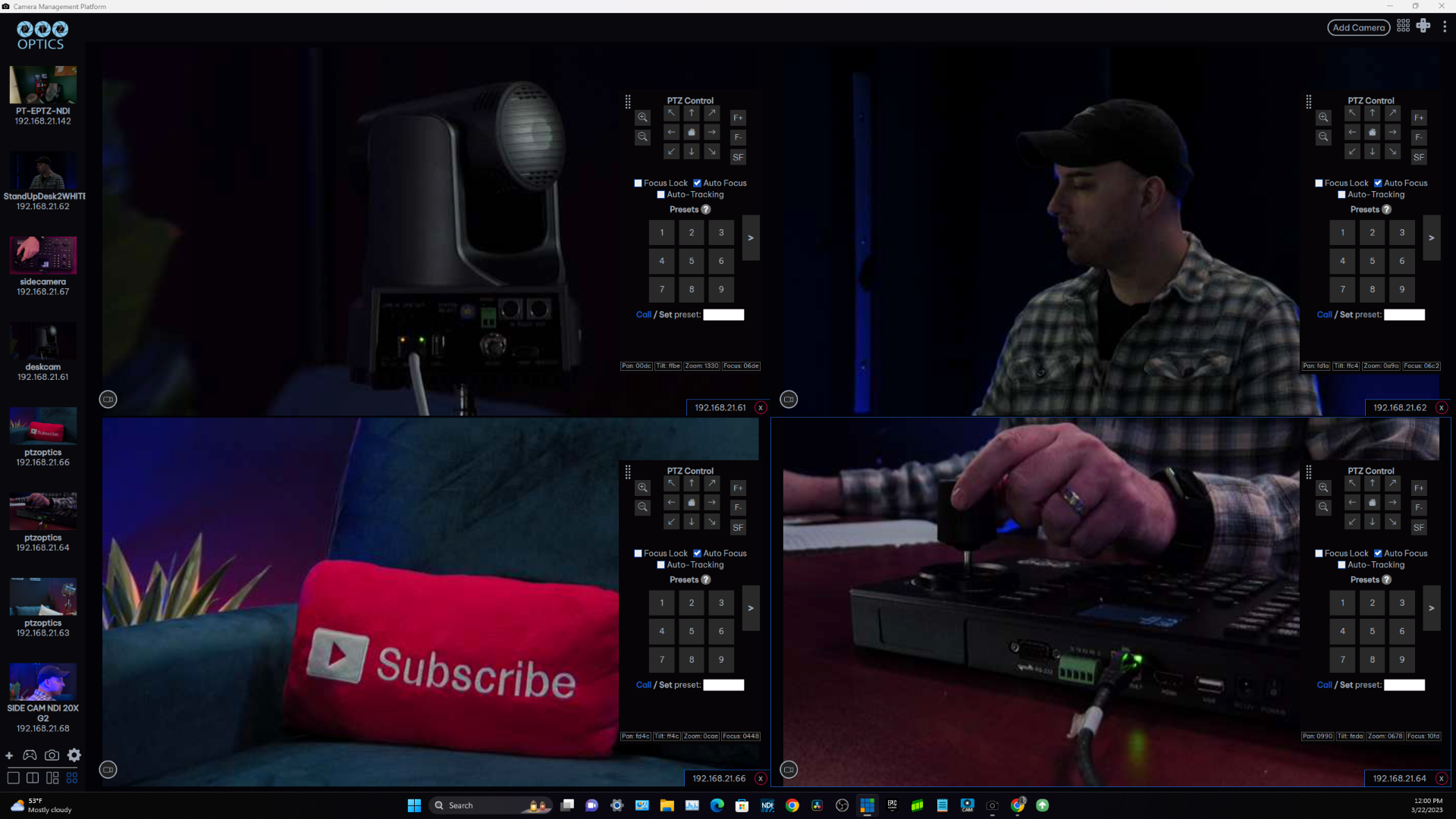
Multiple Cameras, One Simple Solution
No matter the size of your camera deployment, the new PTZOptics Camera Management Platform allows users to manage multiple cameras at once. Connect as many cameras as needed to the application, and view up to four simultaneously for seamless control of your video delivery system.
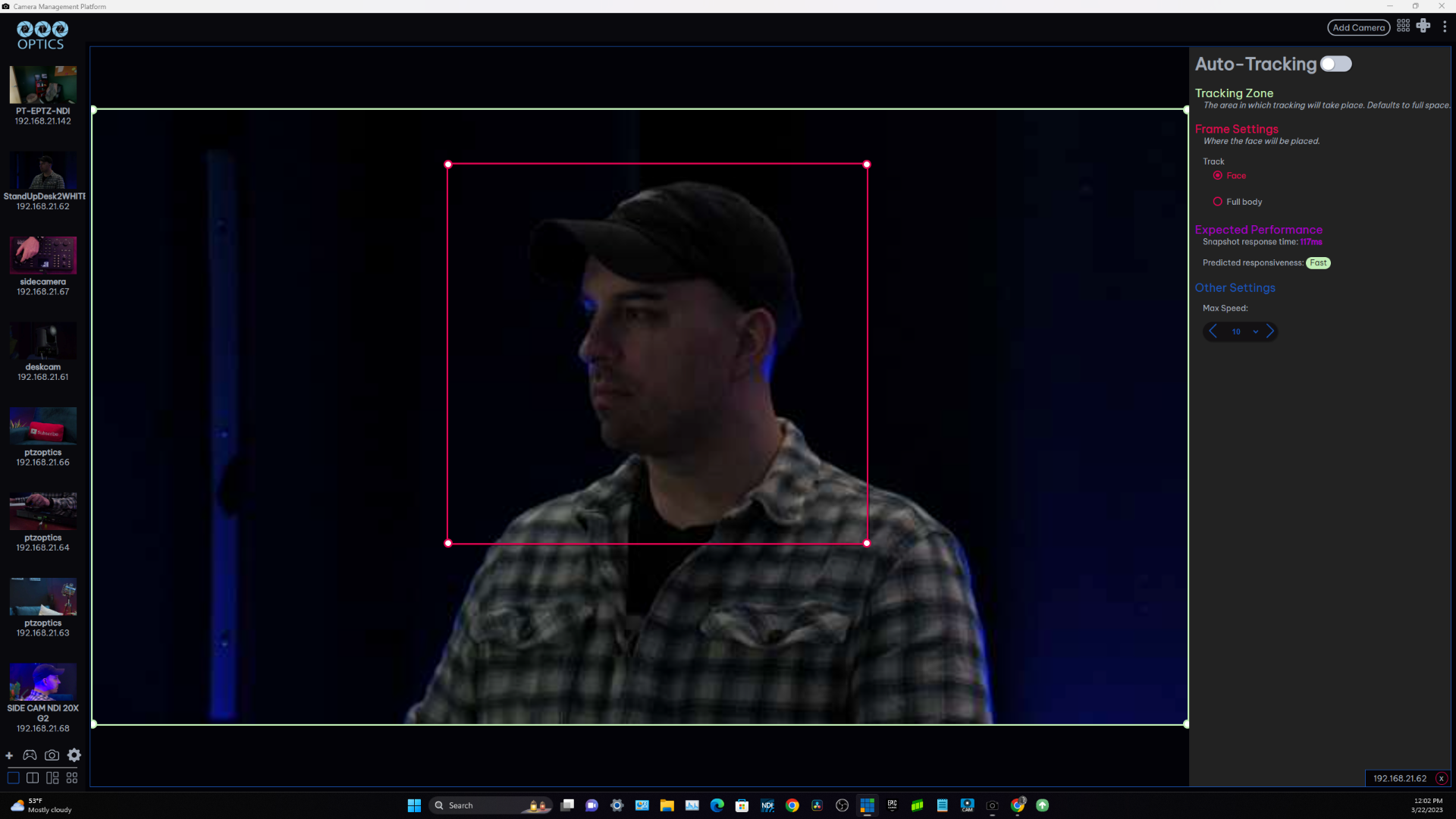
Auto-Tracking For Any Camera
Turn any G2 PoE PTZOptics camera into an auto-tracking camera with the click of a button. No reference camera needed, just turn the camera on and it will begin tracking using pose detection AI. Or, use the platform's drag and drop interface to easily define and adjust tracking zones. This is the perfect solution for users new to auto-tracking who may not be ready to purchase a dedicated auto-tracking camera.
Universal Compatibility
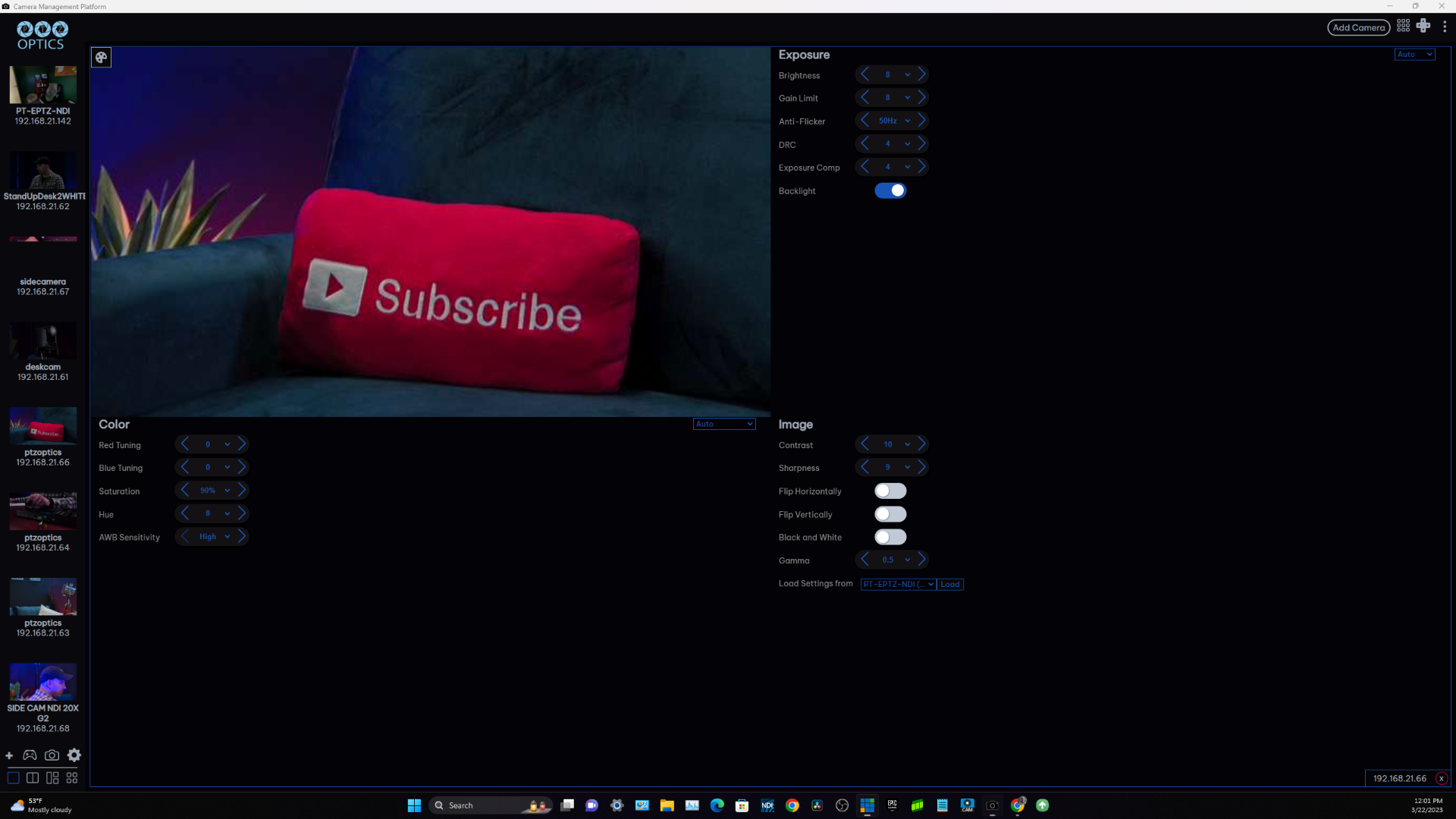
The PTZOptics Camera Management Platform is compatible with any desktop operating system, Windows, macOS, and Linux, and fits easily into any workflow. The platform includes the most commonly used features of other PTZ camera applications and puts them at the tip of your fingers, providing a more intuitive control experience. From color balancing to setting presets, this platform can do just about everything you need for lecture capture, live streaming, and more.
An Ever-Evolving Solution, Built Around You
As a public beta, this is just the beginning for the PTZOptics Camera Management Platform. We welcome your feedback as we continue to develop new features and functionalities. The CMP is designed to be an evolving, future-proof solution for any size production environment, and the team at PTZOptics plans to continue rolling out and refining features based on user response.
CMP System Requirements
Operating System
Minimum:
- Windows 10 or 11
- MacOS 11 Big Sur
- Linux Kernel version 5.4.0
Recommended:
- Windows 11
- MacOS 13 Ventura
- Linux Kernel version 5.13
Hardware
Minimum:
- CPU: Ryzen 3 1200 or Intel i3 5th Generation
- RAM: 8GB
- Free storage space: 300MB
Recommended:
- CPU: Ryzen 5 3500 or Intel i5 9th Generation
- RAM: 16GB
- Free storage space: 1GB
Download the Latest Version of the CMP Public Beta!
Just fill out the form below to access the latest version for Windows, Mac, and Linux.