Networking
Discovering Your Network
Windows
- Open the Start menu and type “CMD” into the search bar.
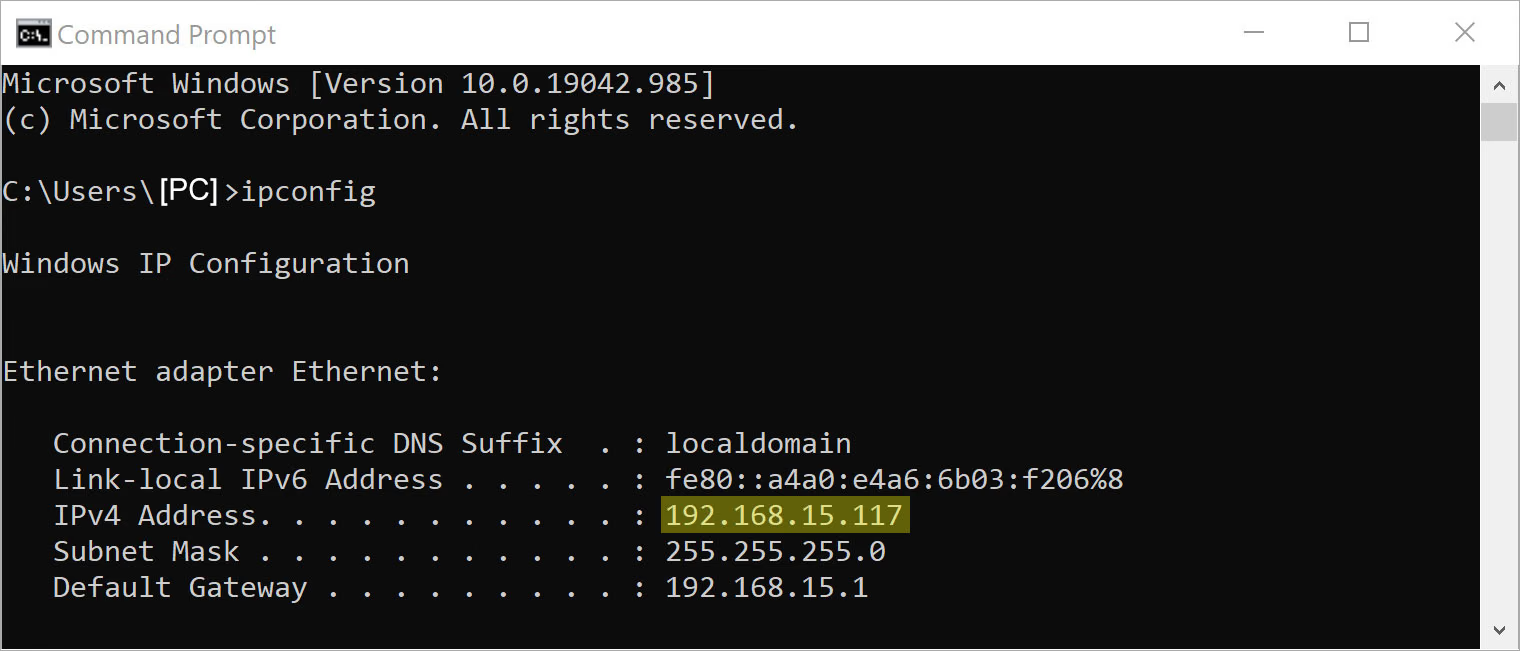
- Once the Command Prompt is open, type in “ipconfig” and press the Enter key.
- Scroll down to the section titled “Ethernet adapter Ethernet” or “Ethernet adapter Wireless Network Connection”.
- Locate the “IPv4 Address” in that section. This is your computers local IP address.
- In the example below, the PC’s local address is “192.168.15.117”, making the network range “192.168.15.xxx”.
Mac
- Open a new Finder window and go to the Applications folder.
- Open the Utilities folder and select the Terminal program.
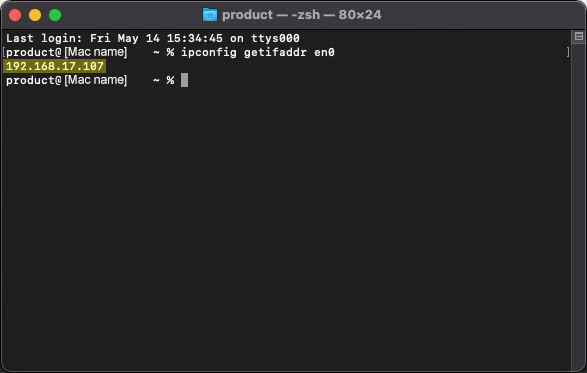
- Once the Terminal program is open, type in “ipconfig getifaddr en0” and press the Enter key.
Network Joystick Connection
PTZOptics carries multiple joysticks including the PT-SUPERJOY-G1, and PT-JOY-G4, that can be used to control a camera via a network connection.
Steps
- Ensure the camera and the PTZOptics IP joystick are connected to the same network.
- Press the [SETUP] button on your joystick, and select option one (1) “Network Device” for IP.
- Fill in the Network Device field to connect the camera. The fields are as follows:
- Channel: (For SuperJoy users enter 1 ~ 9 in the Group field) Joystick Camera Address [CAM ID]. Options include 1 - 255.
- Protocol Select:
- PT-JOY-G4 Protocol Options: VISCA (UDP), VISCA (TCP), Sony VISCA (UDP), ONVIF.
- HC-JOY-G4 Protocol Options: VISCA (UDP), VISCA (TCP), Sony VISCA (UDP), ONVIF.
- PT-SUPERJOY-G1 Protocol Options: VISCA (UDP), VISCA (TCP), Sony VISCA (UDP), ONVIF, NDI, & Panasonic Control
- IP: Enter the Camera IP Address Here
- Ctrl Port: Enter the camera control port.
- Once the above fields are filled, press the [ENTER] button to save the camera to the controller.
Control Port Numbers
- UDP
1259 - TCP
5678 - Sony VISCA Protocol
52381
tip
One way to find the camera's control port number is to go to its web user interface.
Type the camera's IP address into a web browser and log in using your credentials.
Click the Control tab, then click the Ports tab below. Here, you can see the available control protocols.